


Gravit Designer
Building the web's most complete design platform from Lead Designer to Chief Product Officer
Overview
In 2014, professional design tools meant expensive desktop software that required powerful computers and regular updates. For designers who wanted to work across devices, collaborate with teams, or simply access their work from anywhere, the options were limited and frustrating.
Gravit Designer was built to challenge this paradigm. As Lead UX Designer and later Chief Product Officer, I led the creation of a full-featured vector design platform that ran entirely in the browser, proving that web applications could match desktop tools in power while exceeding them in accessibility and collaboration.
The platform grew to serve hundreds of thousands of designers worldwide and was ultimately acquired by Corel Corporation, one of the largest design software companies in the world, where it continues as CorelDRAW.app.
The Challenge
Building a professional design tool in the browser presented fundamental challenges that most considered insurmountable in 2014:
- Performance expectations: Designers were accustomed to native desktop apps like Adobe Illustrator and Sketch. A browser-based tool would be immediately dismissed if it felt slow or limited
- Feature parity: Professional designers needed precision tools, advanced vector editing, layer management, effects, and export capabilities that matched desktop software
- Browser limitations: Web technologies had constraints around file handling, rendering performance, and local storage that desktop apps didn't face
- Skepticism: The design community was deeply skeptical that "real work" could be done in a browser. Figma hadn't launched yet; the idea was still radical
- Monetization: Free tools were expected on the web, but building and maintaining a complex application required sustainable revenue
The opportunity, however, was enormous. If we could prove that a browser-based design tool could match desktop capabilities, we'd unlock benefits no desktop app could offer: instant access from any device, seamless collaboration, automatic updates, and zero installation friction.
My Role and Evolution
I joined Gravit as Lead UX Designer, responsible for the interface design and user experience of the core application. This role quickly expanded as the company grew and the product matured.
Lead UX Designer (2014-2016)
In my initial role, I owned the design of the Gravit Designer application interface:
- Application UI/UX: Designed every aspect of the interface, from the canvas and toolbars to panels, dialogs, and contextual menus
- User research: Conducted interviews with designers, analyzed usage patterns, and gathered feedback to inform design decisions
- Interaction design: Created intuitive workflows for complex operations like boolean operations, path editing, and effect application
- Visual design: Established the design language, iconography, and branding that made Gravit distinctive
- Design systems: Built a comprehensive component library and design patterns to maintain consistency as the product grew
Chief Product Officer (2016-2018)
My promotion to CPO reflected the expansion of my responsibilities beyond interface design to product strategy and business development:
- Team leadership: Managed both the design and development teams, coordinating product roadmap and feature development
- Product strategy: Defined product vision, prioritized features, and made strategic decisions about platform direction
- Marketing collaboration: Worked closely with marketing on product positioning, go-to-market strategy, and brand messaging
- Landing pages and marketing: Designed the Gravit.io website, landing pages, and marketing materials that communicated the product's value
- Stakeholder management: Monitored product perception among users, clients, and investors; represented the product in external communications
- Acquisition process: Participated in discussions and due diligence that led to Corel's acquisition of the platform
Leading design and product strategy through growth and acquisition
Designing for Power Users in the Browser
The fundamental design challenge was creating an interface that felt powerful and professional while remaining intuitive enough for newcomers. Desktop design tools had decades of established patterns, but we couldn't simply copy them—we needed to rethink interactions for the web.
Interface Architecture
I designed a workspace that balanced complexity with clarity:
- Contextual toolbars: Instead of overwhelming users with every tool at once, toolbars adapted based on the selected object, showing only relevant options
- Collapsible panels: Power users could access advanced features through panels that could be shown, hidden, or rearranged to suit their workflow
- Canvas-first design: The workspace prioritized the canvas, ensuring maximum screen real estate for actual design work
- Keyboard shortcuts: Every major action had keyboard shortcuts, allowing experienced users to work at speed
- Quick actions: A command palette (before it became ubiquitous) let users find any feature by typing
Visual Design Language
The interface needed to feel modern and approachable without sacrificing professionalism:
- Clean aesthetics: A light interface with subtle gradients and careful use of color ensured the focus stayed on the user's work
- Custom iconography: I designed hundreds of icons that were both recognizable and distinctive, creating visual consistency across the application
- Typography: Chose Lato and Antic Slab for their readability and professional appearance across all browser contexts
- Responsive adaptation: The interface adapted gracefully to different screen sizes, though full functionality required desktop screens
Comprehensive interface design system and custom icon library
Core Features and Innovations
Gravit Designer needed to prove that browser-based tools could match desktop applications feature-for-feature. I led the design of capabilities that pushed the boundaries of what was possible in a web application:
Precision Vector Editing
Professional designers demand pixel-perfect precision. I designed tools that delivered:
- Multiple measurement units: Support for pixels, millimeters, centimeters, inches, and points allowed designers to work in the units that made sense for their project
- Bézier path editing: Full control over anchor points, handles, and curves with intuitive on-canvas editing
- Non-destructive booleans: Combine shapes with union, subtract, intersect, and exclude operations while maintaining editability
- Knife and scissors tools: Cut paths and shapes with precision
- Alignment and distribution: Sophisticated tools for arranging objects with mathematical precision
Advanced Layout Capabilities
Modern design requires more than just vector editing:
- Masters and symbols: Create reusable components that update across all instances—years before Figma popularized the concept
- Layers and groups: Organize complex documents with hierarchical structure and batch operations
- Grids and guides: Customizable grids, guidelines, and snapping for structured layouts
- Auto-layouts: Intelligent spacing and arrangement for screen design and UI work
- Artboards: Multiple pages and artboards within a single document for multi-screen designs
Professional Styling
Rich visual effects that matched desktop capabilities:
- Multiple fills and borders: Layer multiple fill types (solid, gradient, pattern) with different blending modes
- Effects and filters: Shadows, blurs, color adjustments, and advanced effects
- Blend modes: Full suite of Photoshop-style blending modes for sophisticated compositing
- Gradients: Linear, radial, and angular gradients with unlimited color stops
- Text styling: Comprehensive typography controls including text-on-path
Universal File Compatibility
A browser-based tool needed to integrate into existing workflows:
- PDF export: High-quality PDF output for print and digital distribution
- SVG support: Clean SVG export for web use and code handoff
- Raster export: PNG, JPEG, and other formats with resolution control
- Import capabilities: Support for Illustrator, Sketch, and other design formats
- Cloud storage: Native integration with cloud services for file management
Professional-grade tools and features rivaling desktop applications
Marketing and Brand Development
As CPO, I expanded my role beyond product design to encompass how we presented Gravit Designer to the world. The marketing needed to match the quality of the product itself.
Website and Landing Pages
I designed Gravit.io and related marketing sites to communicate the product's value proposition clearly:
- Clear messaging: "The web's most complete design platform" immediately conveyed our positioning
- Feature demonstrations: Interactive elements that showed capabilities rather than just describing them
- Social proof: User testimonials and showcase galleries demonstrating real work created with Gravit
- Conversion optimization: Strategic CTAs and onboarding flows that reduced friction for new users
- Brand consistency: Maintained visual coherence between the product interface and marketing materials
Product Positioning
Collaborated with marketing on positioning that resonated with our target audiences:
- For professionals: Emphasized power, precision, and feature parity with desktop tools
- For teams: Highlighted collaboration benefits and accessibility across devices
- For students: Positioned the free tier as a professional tool that lowered barriers to entry
- For agencies: Focused on workflow efficiency and client collaboration capabilities
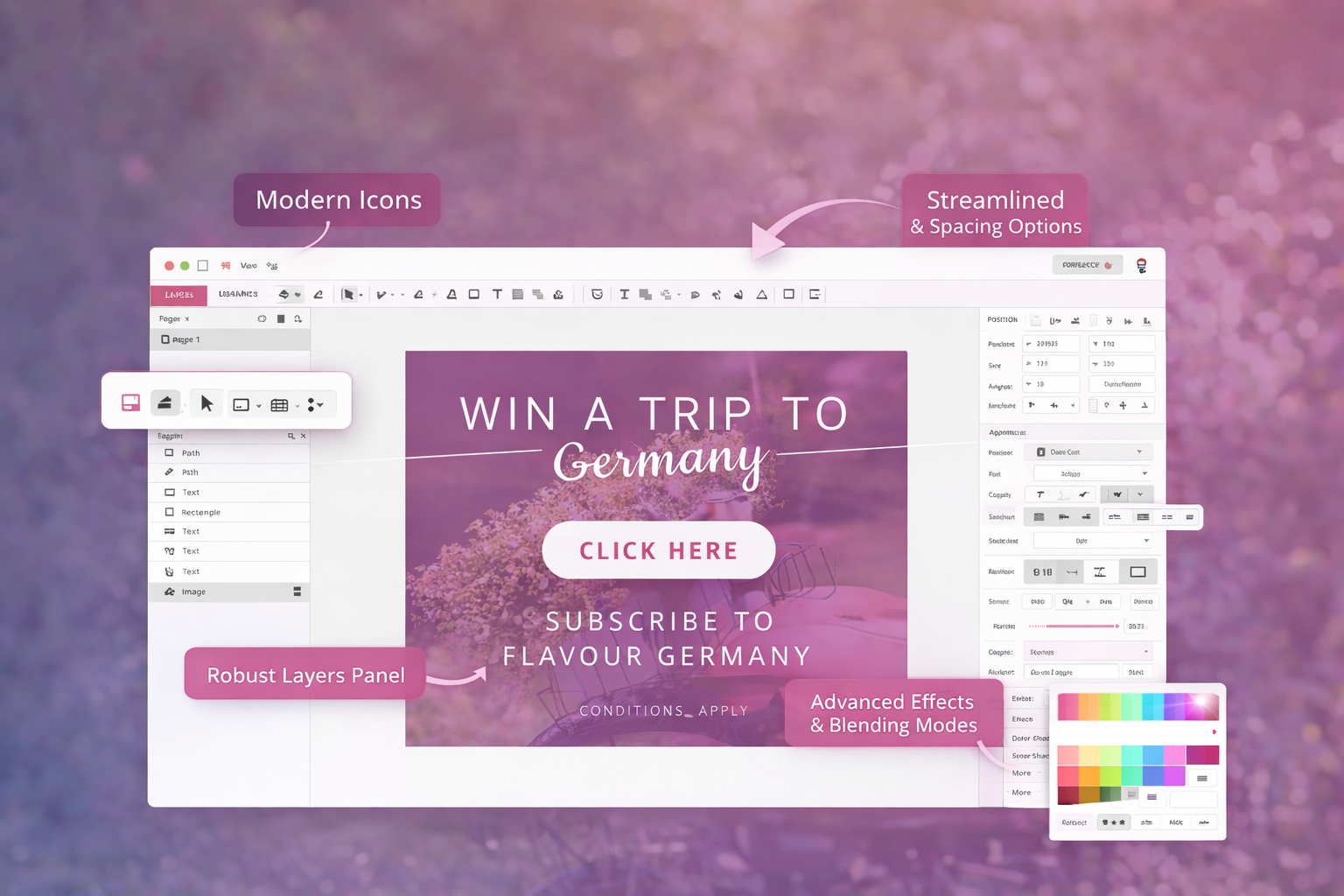
Marketing website design and brand communications
Technical Innovation and Constraints
Designing for the browser meant working within technical constraints while pushing the boundaries of what was possible. I worked closely with the development team to understand these limitations and design solutions that worked with, not against, web technologies.
Performance Optimization
Every design decision had performance implications:
- Canvas rendering: Optimized how the interface drew and updated to maintain 60fps even with complex documents
- Progressive loading: Designed loading states and progressive rendering so large files felt responsive
- Efficient updates: Only redraw what changed, not the entire canvas, through careful interaction design
- Memory management: Designed features that worked within browser memory constraints
Browser Capabilities
Leveraged emerging web technologies while maintaining compatibility:
- WebGL rendering: Used GPU acceleration for effects and rendering where available
- File system access: Designed workflows that worked around browser security limitations for file handling
- Offline capability: Service workers for offline access to work without internet
- Progressive enhancement: Core features worked everywhere; advanced features activated when supported
User Research and Iteration
Design decisions weren't made in isolation. I established a continuous research and feedback process that informed every aspect of the product:
Understanding Designer Needs
- User interviews: Regular conversations with designers from hobbyists to professionals to understand workflows and pain points
- Usage analytics: Instrumented the application to understand which features were used, which were confusing, and where users struggled
- Support ticket analysis: Reviewed support requests to identify common issues and opportunities for improvement
- Community engagement: Participated in design forums and communities where our users discussed the product
Rapid Iteration
One advantage of a web application was the ability to iterate quickly based on feedback:
- A/B testing: Tested different UI approaches and measured impact on engagement and completion rates
- Feature flags: Rolled out new features gradually, gathering feedback before full release
- Beta program: Engaged power users in testing new capabilities early
- Continuous deployment: Users always had the latest version—no downloads or updates required
Growth and Impact
Gravit Designer's success validated the vision of professional design tools in the browser:
User Growth
The platform grew from a small beta to a widely-used design tool:
- Reached over 500,000 active users worldwide
- Users ranged from students and hobbyists to professional designers and agencies
- Strong international adoption, particularly in markets where expensive desktop software was cost-prohibitive
- Active community creating tutorials, templates, and showcasing work
Industry Recognition
- Featured in design publications and tool roundups
- Positioned as a viable alternative to Adobe Illustrator and Sketch
- Referenced in discussions about the future of design tools
- Helped legitimize browser-based creative applications before Figma gained mainstream adoption
Acquisition by Corel
In 2018, Corel Corporation acquired Gravit Designer, recognizing its value as a modern design platform. The product continues as CorelDRAW.app, bringing browser-based design capabilities to one of the oldest names in design software.
The acquisition validated our thesis: professional design tools could not only work in the browser but could compete successfully with established desktop applications.
Lessons Learned
Leading Gravit Designer from conception through acquisition taught lessons that shaped my approach to product design and leadership:
- Challenge assumptions: The design community said professional tools couldn't work in a browser. We proved them wrong by focusing on actual capabilities rather than perceptions
- Performance is UX: In a performance-sensitive application, every frame matters. Design decisions that degraded performance degraded the experience
- Progressive disclosure works: We didn't need to show every feature immediately. Revealing complexity gradually made the tool approachable for newcomers while remaining powerful for experts
- Brand matters: In a crowded market, distinctive design and clear positioning helped us stand out and attract users
- Wear multiple hats: My evolution from designer to CPO required learning product strategy, team management, and business development—skills that complemented design thinking
- User research never stops: Understanding users is not a one-time activity. Continuous research and feedback were essential to staying relevant
- Technical constraints breed creativity: Browser limitations forced innovative design solutions that often proved better than desktop patterns
- Timing matters: We launched when web technologies were mature enough to support professional tools but early enough to establish ourselves before bigger players entered